Made in Quebec, for service businesses.
The call becomes a quote, the quote a job, the job an invoice with GST and QST. You open your account yourself: no consultant, no rollout, the console opens in your browser.


$127 a month for up to 5 employees, Canadian dollars plus tax. Card required, no charge for 30 days, cancel anytime.
The demo
The whole product, in a minute and a quarter.
The request becomes a quote, the quote becomes a job, the job becomes an invoice. Then the crew's app, the office dashboard, and the rules here.

No sign-up to watch. Nothing is charged for the first 30 days.
The journey
From the call to the money, four moves.
At every step, one button: the next one.
Request
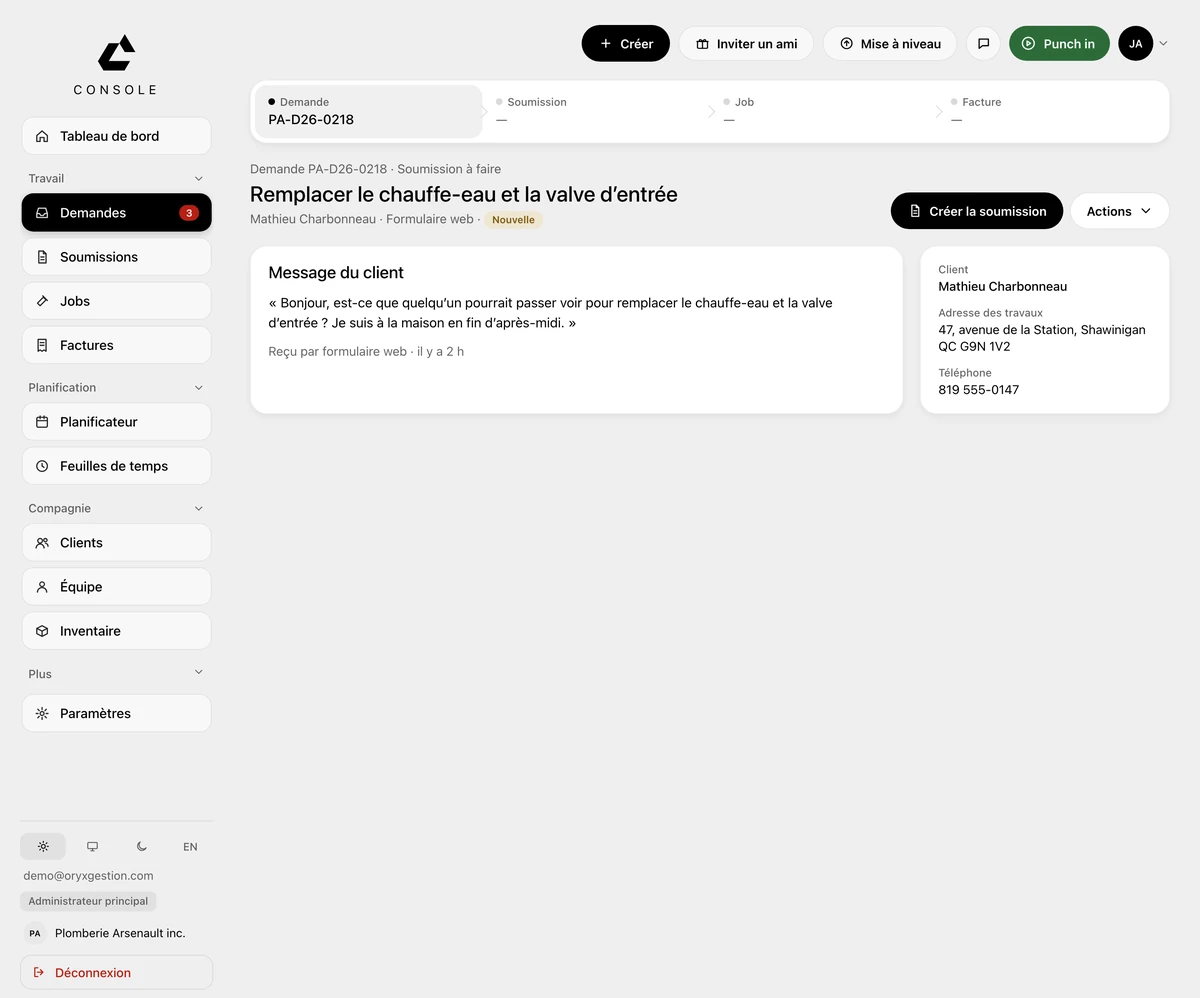
The request arrives filled in.
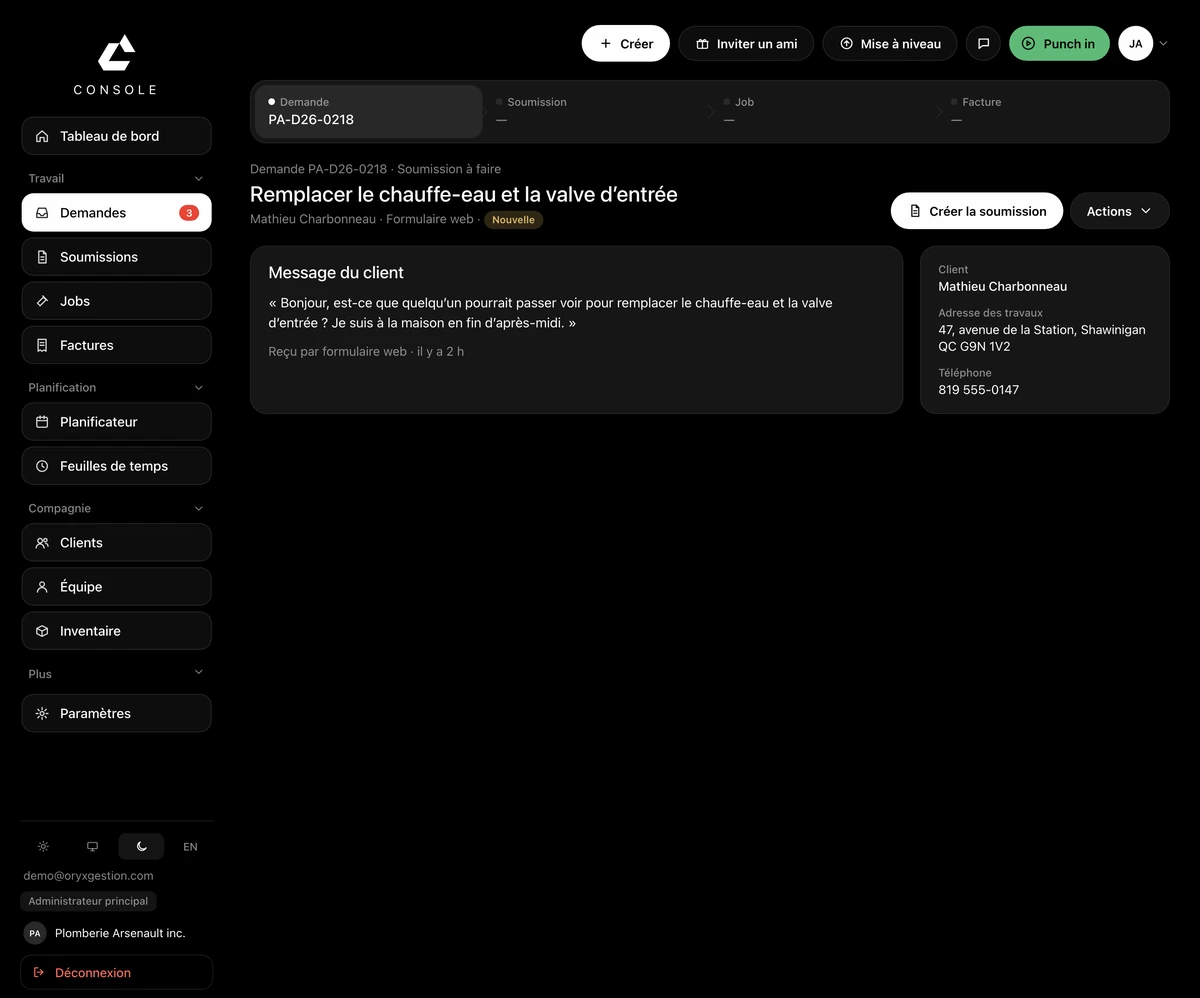
Your client's message shows up as written, marked “Received through web form”. Their name, the job address and their phone number are already there, on the right.
Créer la soumission
Quote
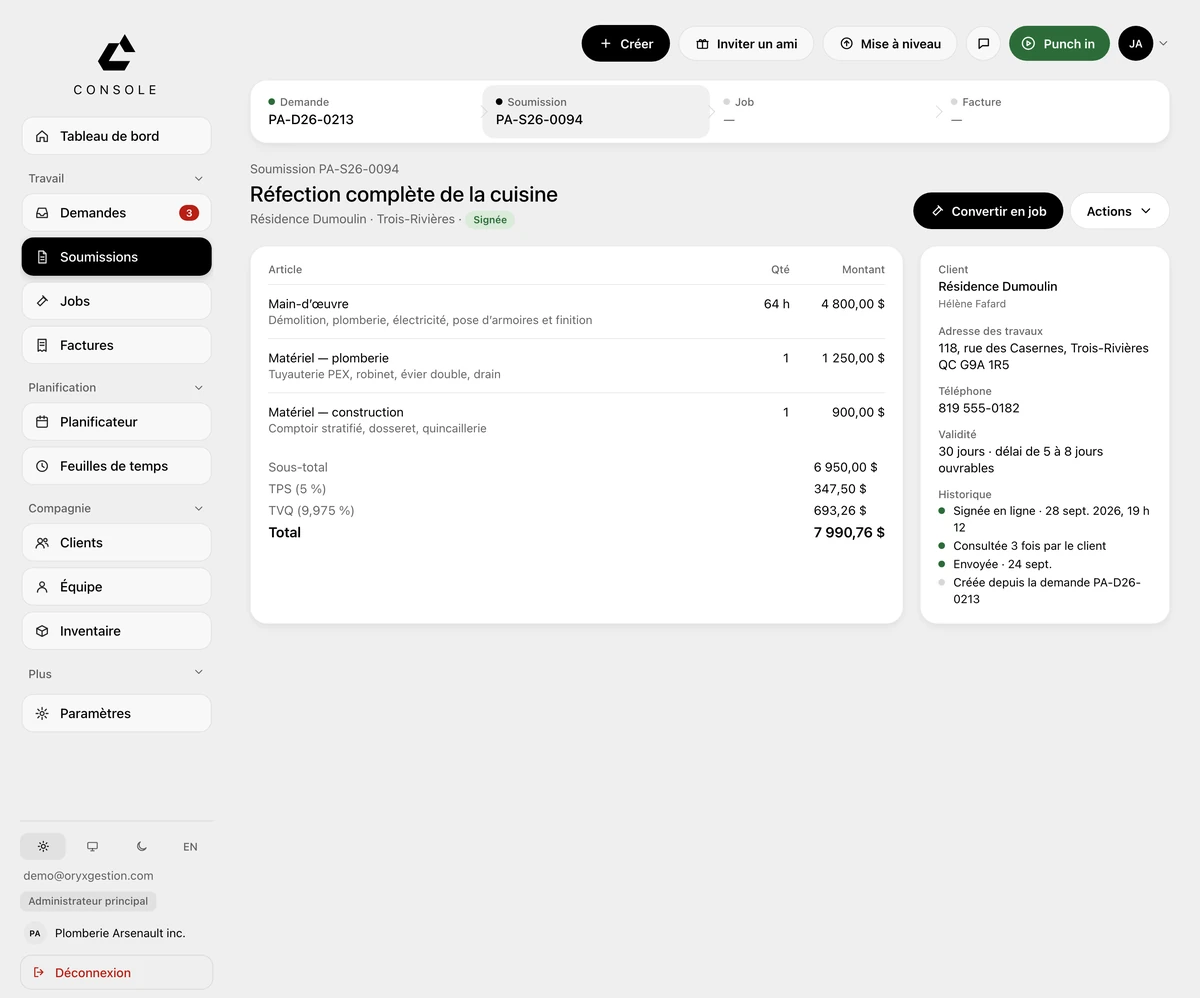
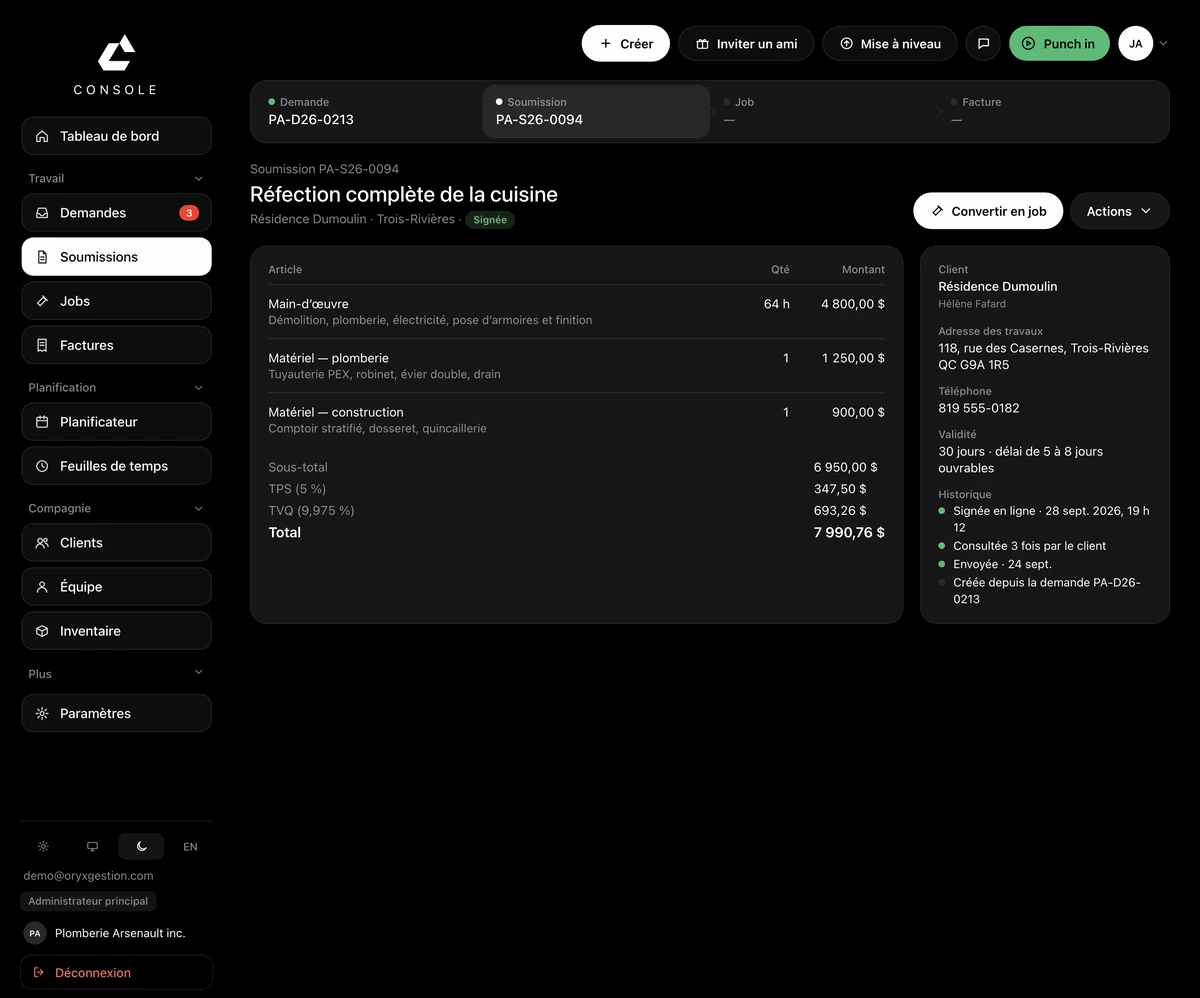
Your prices, your taxes, their signature.
GST at 5% and QST at 9.975% each get their own line, before the total. Once the quote is signed, the main button becomes “Convert to job”.
Convertir en job
Job
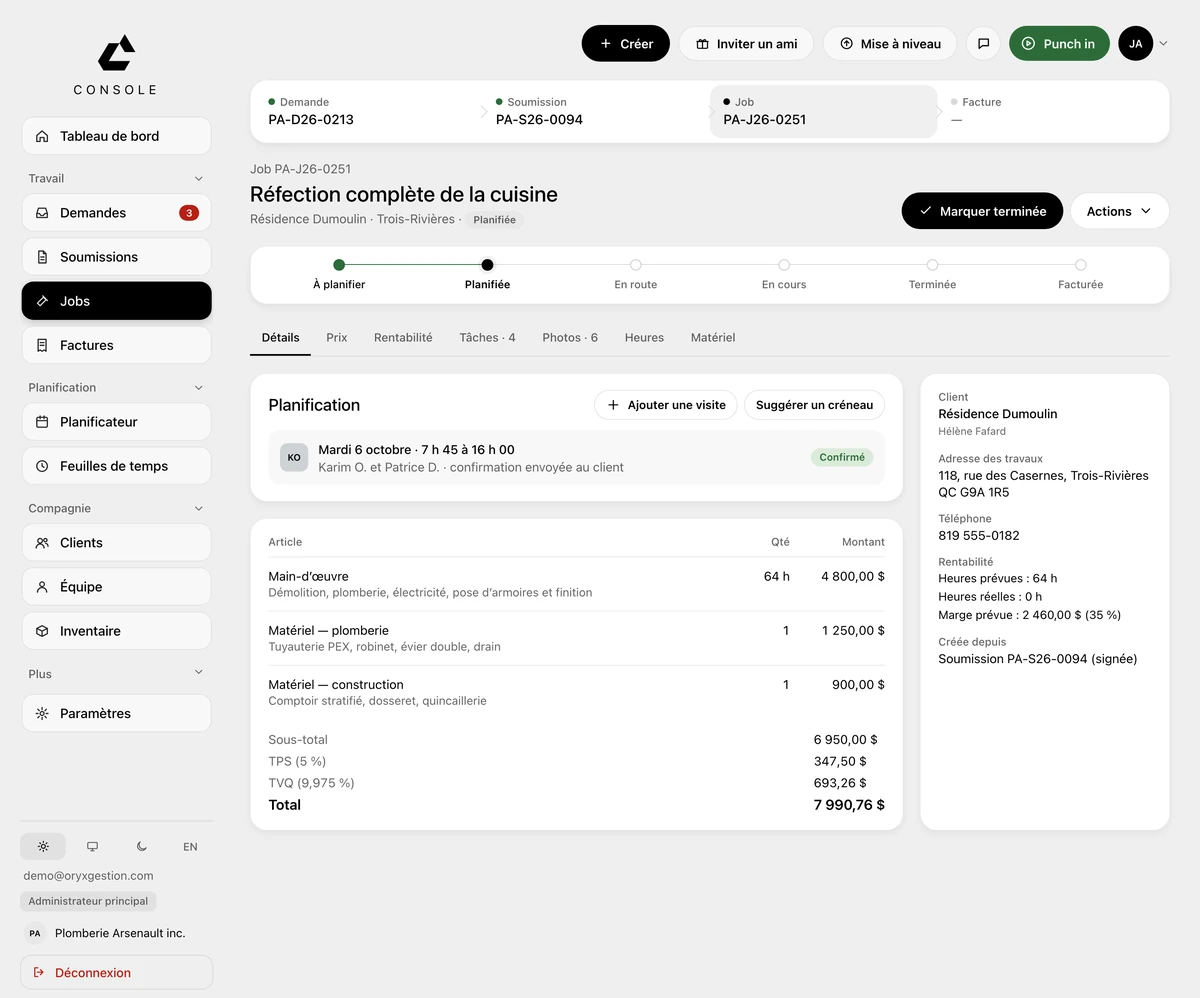
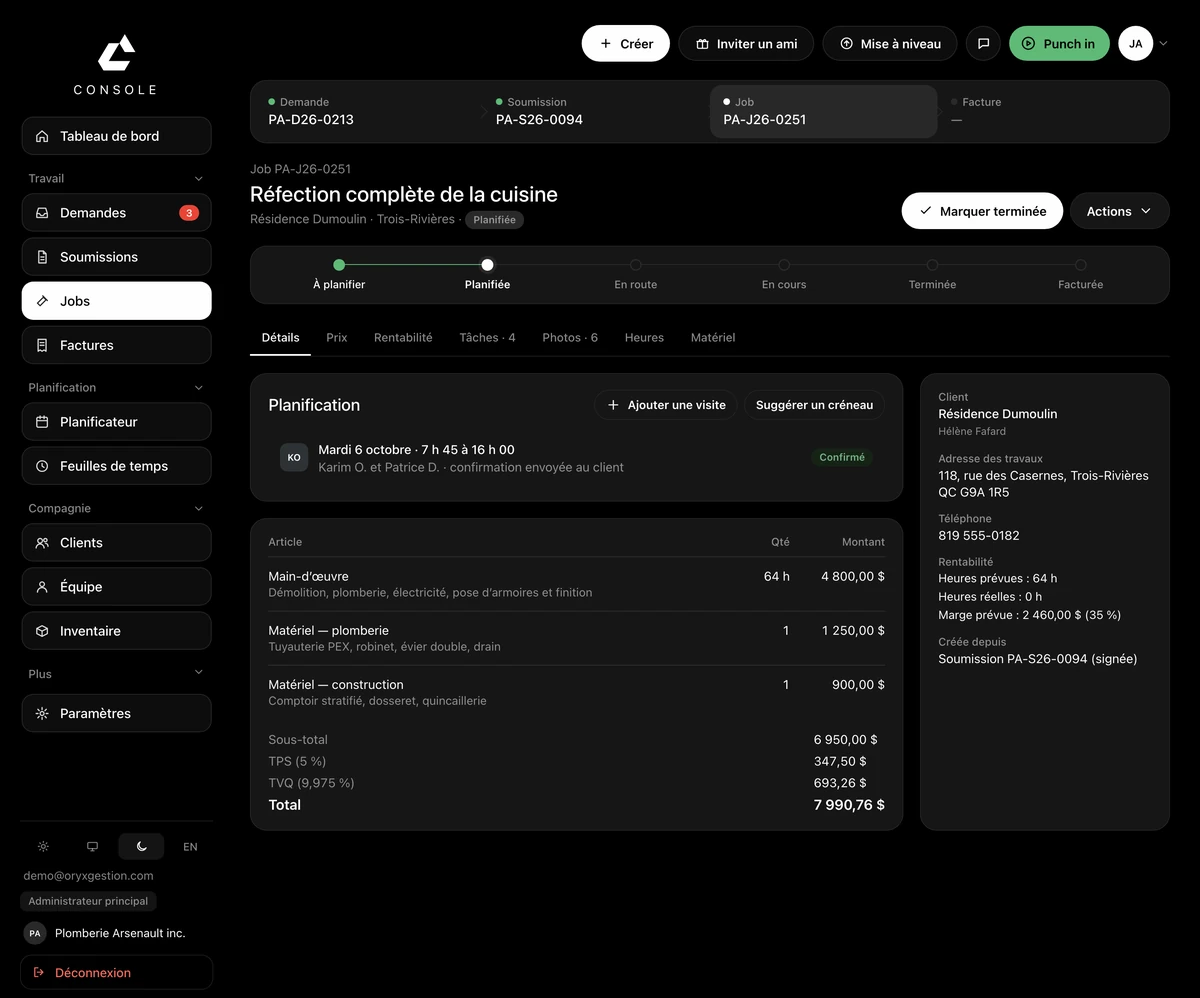
The job lands on someone.
The progress line runs from To schedule all the way to Invoiced. The visit is placed on a worker, with its time and crew.
Planifier
Invoice
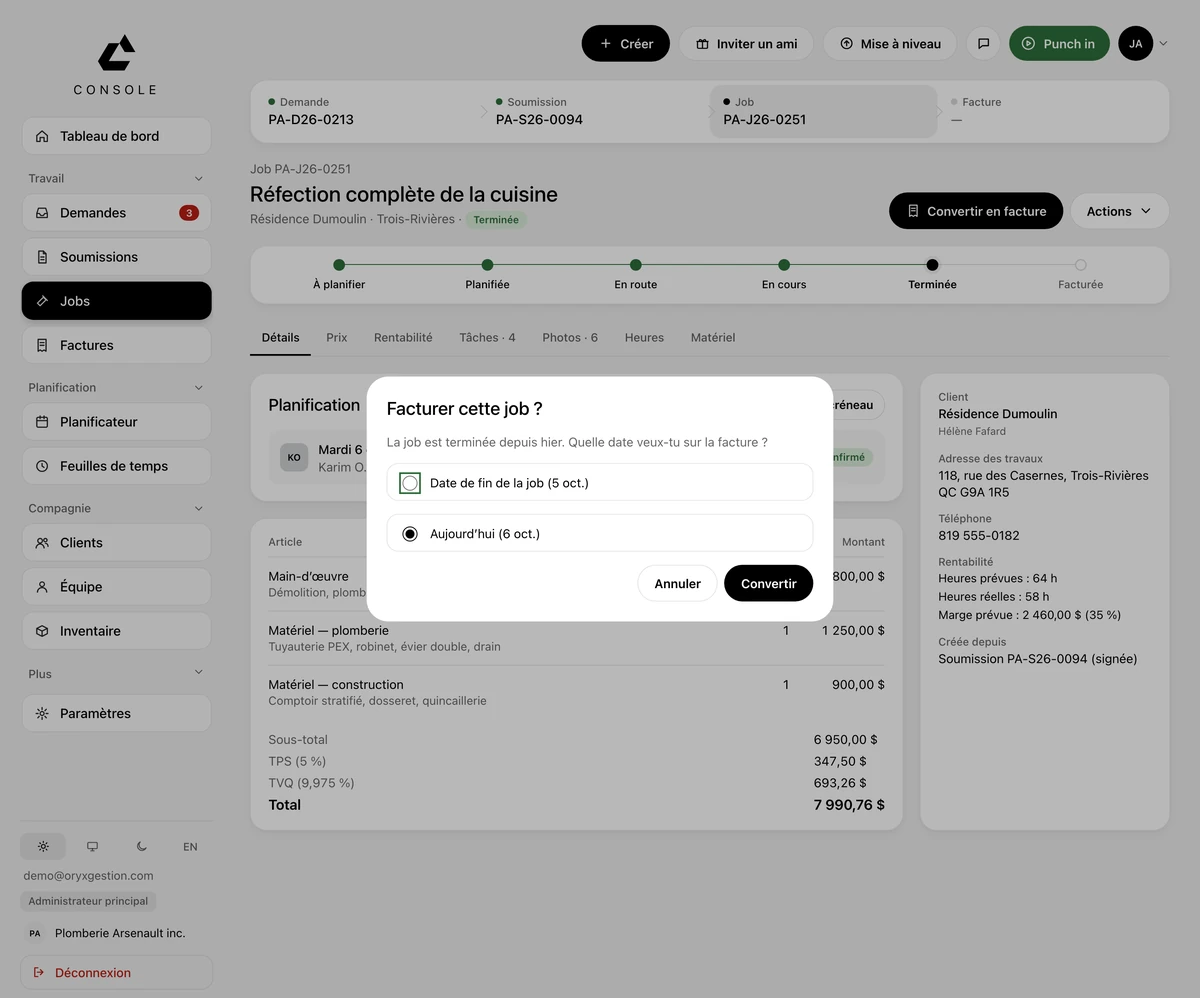
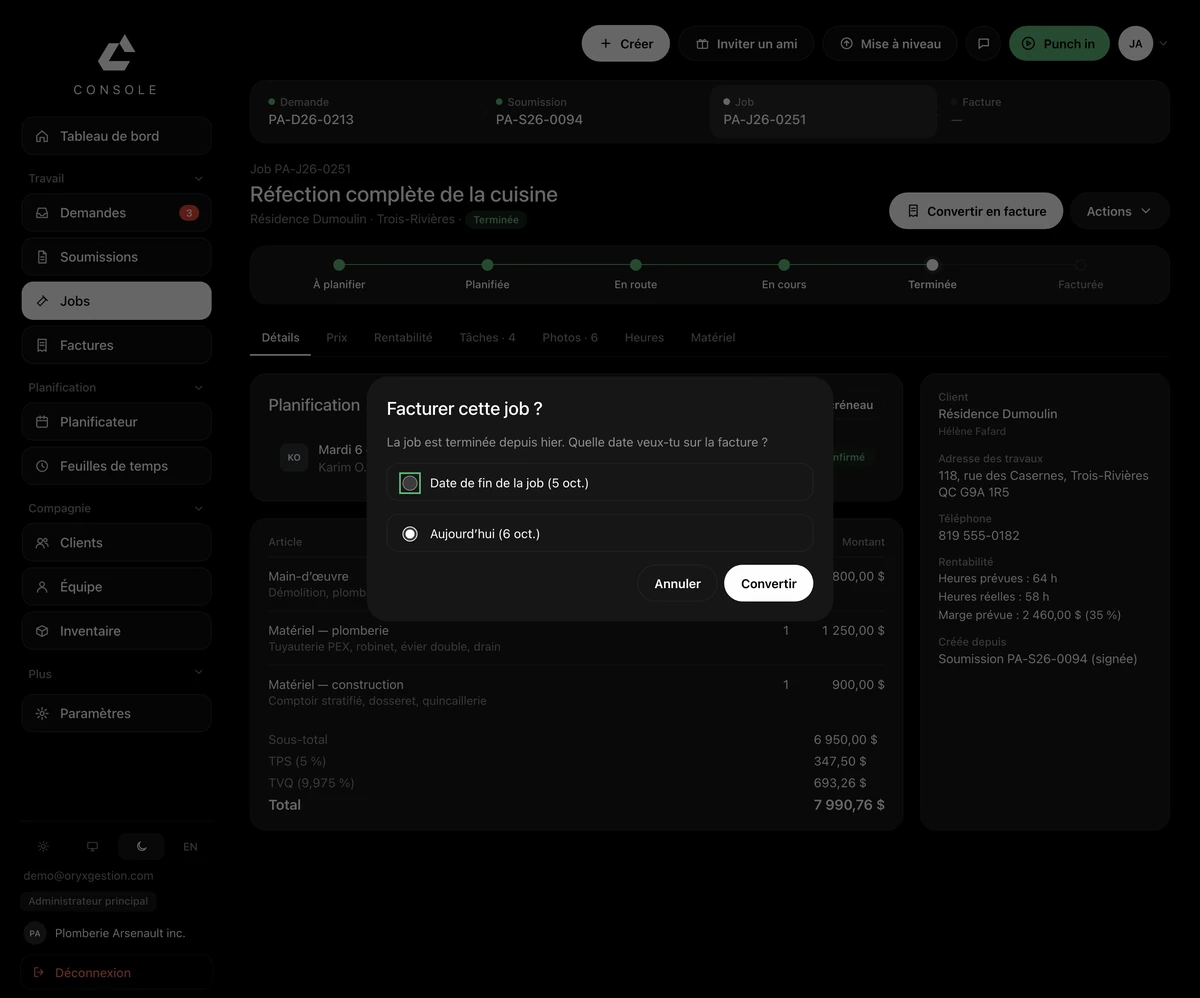
A finished job becomes an invoice.
ORYX asks which date to put on it: the day the job ended, or today. The job's line items are already written.
Convertir en facture
On site
Your crew opens it in the morning. You watch the hours come in.
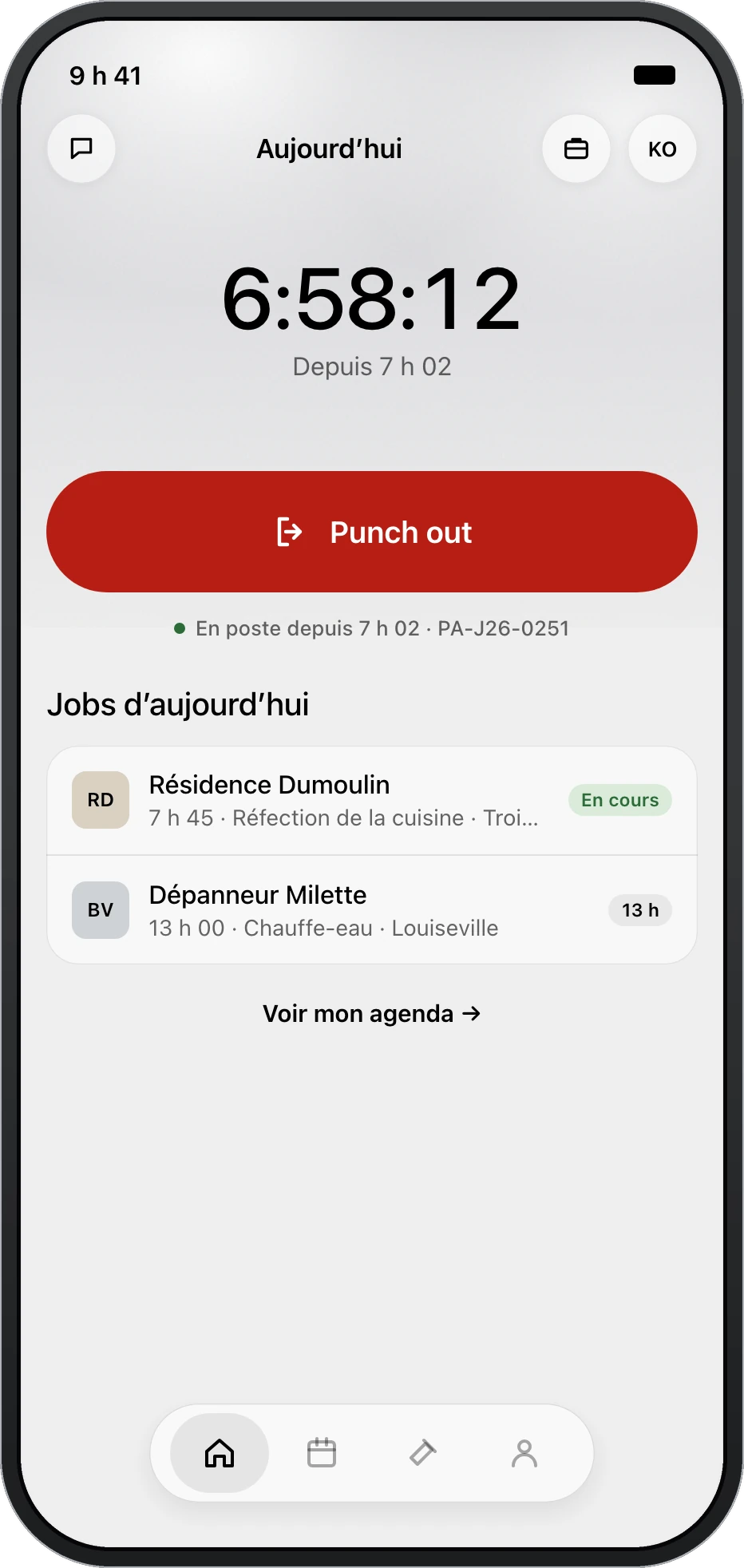
The iPhone app, exactly as it is.
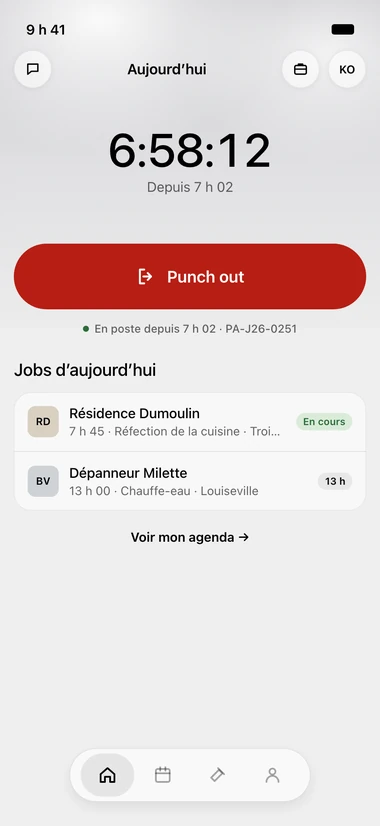
The punch
One button on arrival, one on the way out. The counter runs on screen, and the day's jobs sit right underneath.
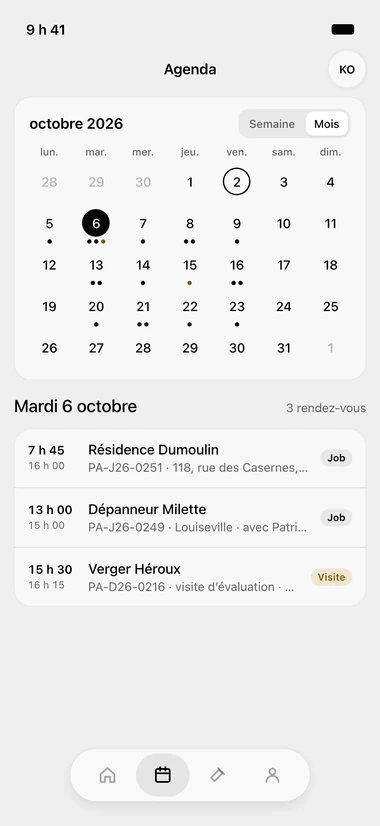
The schedule
The whole month, one dot per appointment. The day you pick opens underneath, hour by hour.
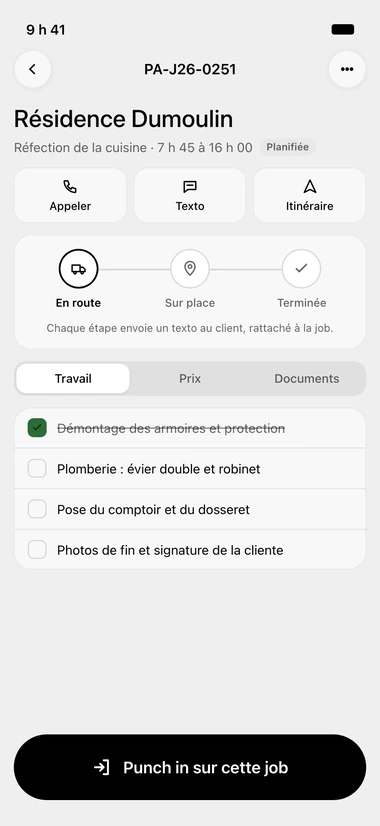
The job
The client, the address, the tasks and the materials. Call, text or start directions in a single tap.
At the office
What's waiting, what's stuck, what's coming in.
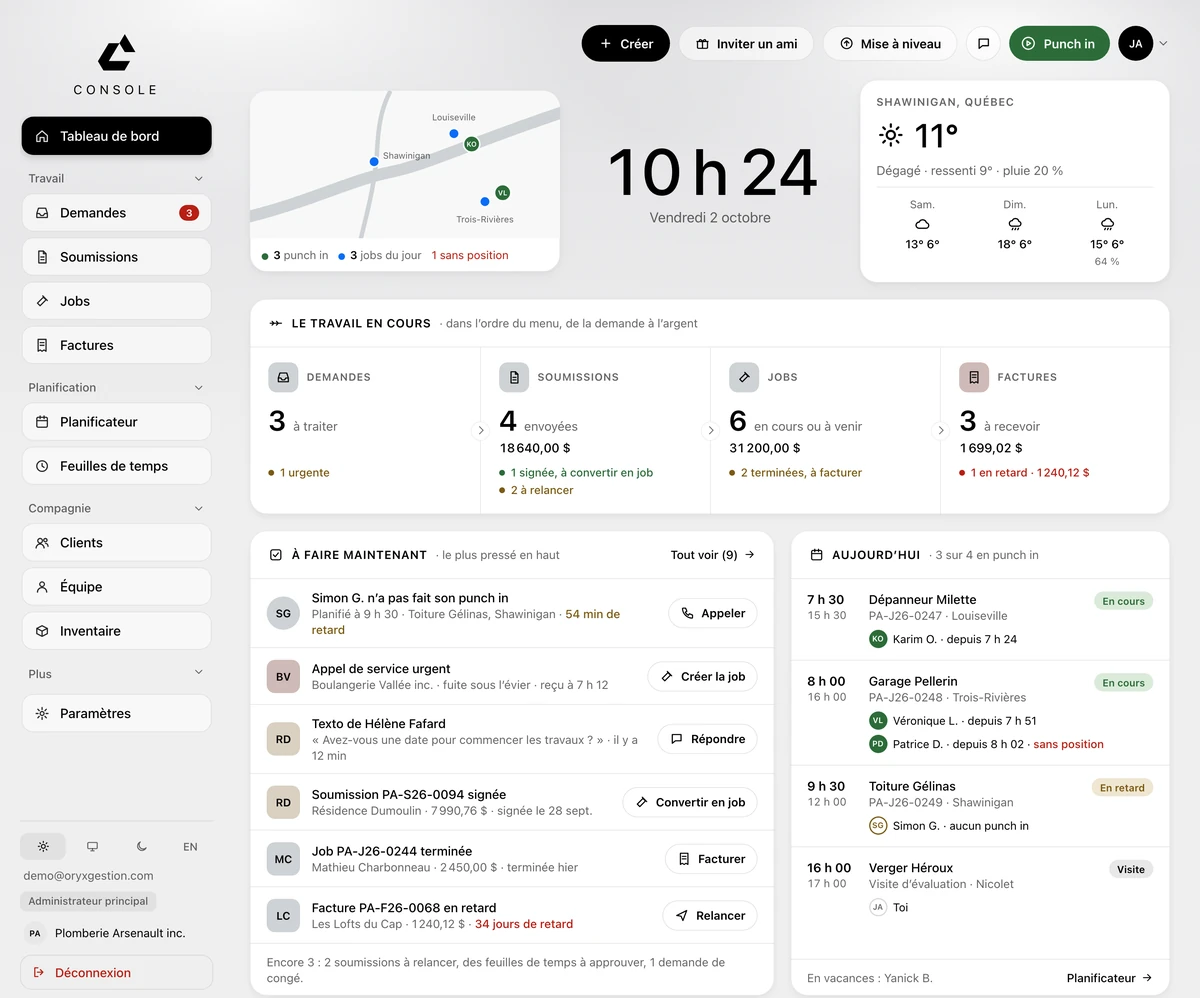
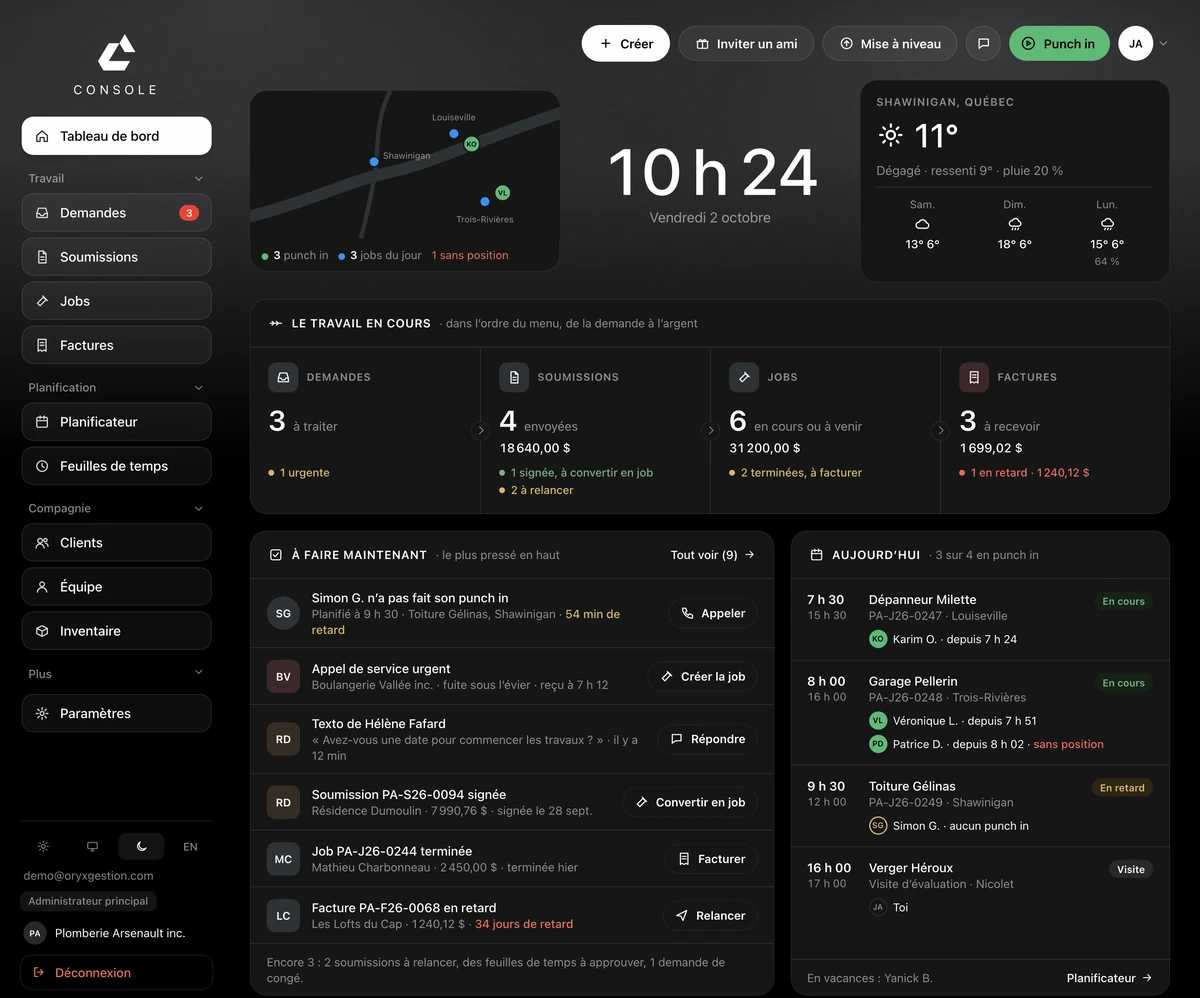
One page in the morning, in the order of the menu: from the request to the money.
Work in progress
Requests, quotes, jobs and invoices, each with its count and its amount. And underneath, what's stuck: to follow up, to convert, to invoice.
Do now
Most urgent on top, with the action beside it. An employee who hasn't punched in, and the Call button is already there.
Today
Who's out, who's late, who has no location. The team's day, shift by shift.

Made in Québec
Written here, for the rules here.
Not an American tool with a translation layer bolted on.
GST and QST
Calculated on every quote and every invoice. You don't redo the math by hand.
Your own numbers
RBQ, NEQ, GST and QST print on your documents, without you retyping them every time.
Law 25
A named privacy officer, an incident register, and a policy that says what we keep and why.
All in French
The console, the app, the emails that go out to your clients — and the person who answers when you call.
Your data comes with you
An Acomba, Sage 50 or Excel file, and your clients are already there on day one.
Our partner
Audy Construction
Doors and windows for apartment buildings, in Mont-Saint-Hilaire. Their crew clocks in through ORYX Console, and their quotes are built there too.
We built their website too.
See their siteWhat it costs
One price per team size.
Every feature in every plan. Only the number of employees changes.
Yearly pricing, the better deal. Monthly is one click away.
Prices shown, no mandatory demo, no salesperson chasing you. You pick your plan and sign up yourself.
Prices in Canadian dollars, plus taxes. Card required, no charge for 30 days, cancel anytime before the trial ends.
Your account starts empty. I fill it with you in 30 minutes: your clients, your rates, the way you build a quote. It's free, and it's me on the other end.
Write me for your 30 minutesTalk to someone
A question before you go?
Write me. Anthony answers, not a shared inbox.
Questions we get asked
- How does the 30-day trial work?
- You open your account with a card, and nothing is charged for 30 days. Cancel before the end and you pay nothing.
- When can I cancel?
- Any time, from your console. No call to make, no notice, no penalty.
- Is there a phone app?
- Yes, on iPhone, for the crew on site. The office console opens in your browser, with nothing to install.
- Can I bring my data over?
- Yes: an Acomba, Sage 50 or Excel file, and your clients are already there.